Excluding content from scanning
Some pages are not worth scanning - a thank-you page, a staging landing page, a section you manage elsewhere, or anything you simply do not want flagged. You can keep these out of the scan two ways: exclude individual pages by hand (free), or set up rules that auto-exclude matching pages on every scan (paid plans).
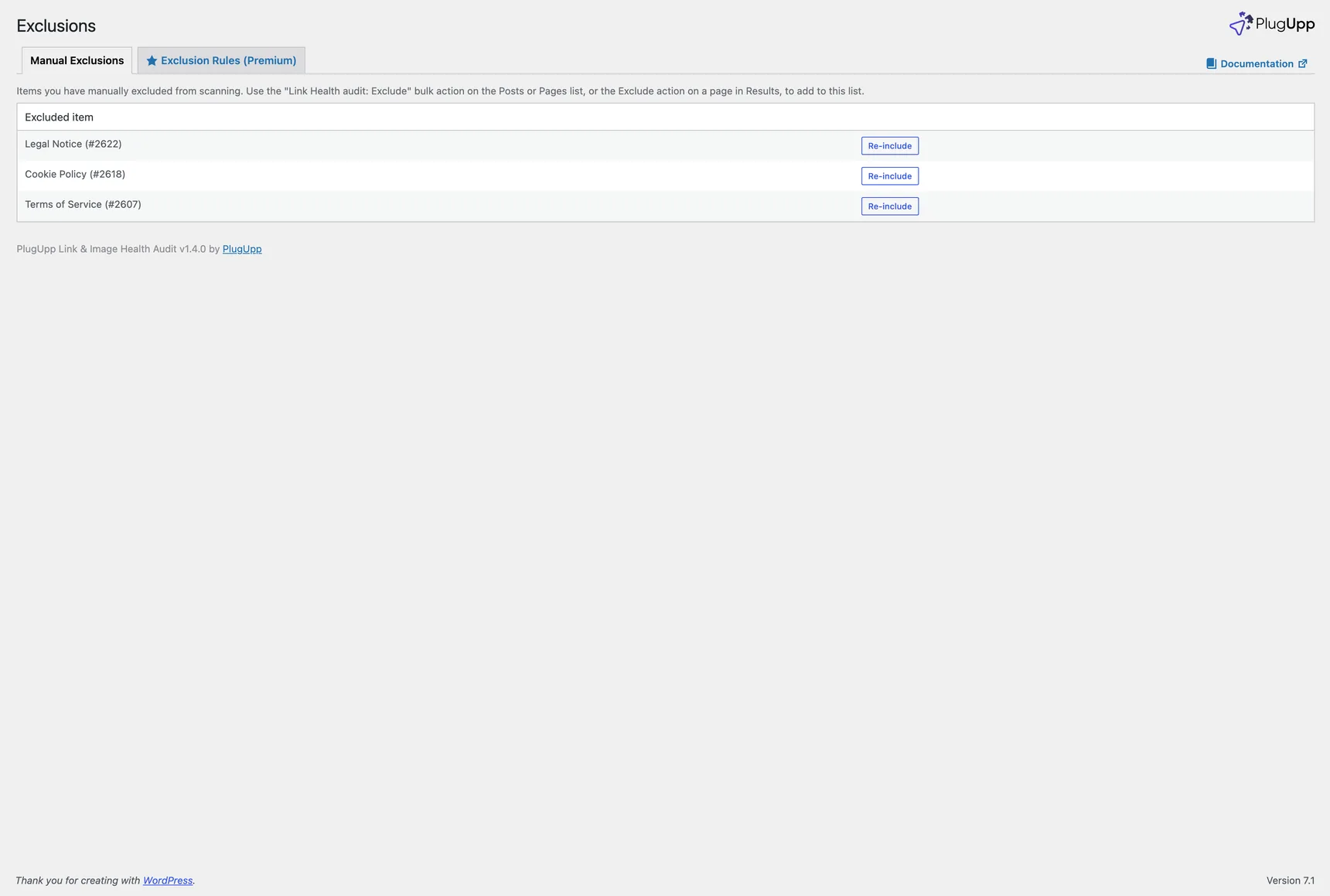
Both live on the Exclusions screen in the Link Health menu, which has two tabs: Manual Exclusions (free) and Exclusion Rules (paid).
Password-protected content is never scanned, so it does not appear here. Unpublished content (drafts, scheduled, pending and private) is also skipped by default; you can opt in to scanning it from the Unpublished content setting on the Settings screen, where it is rendered privately for the scan only.
Manual exclusions
You can exclude a page by hand from a few places:
- From the results. Use the Exclude row action under any page in the By page view.
- In bulk from the Posts and Pages screens. The standard WordPress list tables gain two bulk actions, Link Health audit: Exclude and Link Health audit: Include. Select the rows you want and apply. Because these run on whatever is currently filtered, they combine with any other list filter - for example, filter a page-builder plugin's generated content down to a set and exclude all of it in one move.
Everything you have excluded by hand is listed on the Manual Exclusions tab, each with a Re-include link. Excluded pages are skipped by every scan; a re-included page reappears after the next scan.
Exclusion rules
On paid plans, the Exclusion Rules tab lets you exclude pages by rule instead of one at a time. A rule is a standing condition that auto-skips matching content on every scan, current and future - built for large sites where excluding page by page is not practical.
Each rule matches on one property:
- Post type - is any of, or is none of, a set of post types.
- Category or tag - is any of, or is none of, a set of terms. Terms from every taxonomy are offered in one searchable picker, each labelled "Taxonomy: Term".
- Author - is any of, or is none of, a set of users.
- URL - one of two operators, and the difference matters:
- contains - the address just has to include the text somewhere, with no
wildcards.
/tag/excludes every address with/tag/in it. This is the one to reach for most of the time. - matches - the whole address has to fit the pattern, with
*standing for any characters. Use it to anchor a rule:*/tag/*,*?utm_*, orhttps://example.com/blog/*for one section only. Because the pattern is tested against the complete address, a matches pattern with no*in it will never match anything, so/tag/under matches excludes nothing. If a rule reads "excludes 0 items" when you expected otherwise, this is usually why.
- contains - the address just has to include the text somewhere, with no
wildcards.
Rules combine with OR: a page is excluded if it matches any rule. Each rule shows how many pages it currently excludes, so you can see a rule's effect before you rely on it.
Saved exclusion sets
You can save a set of rules by name, then reuse it. Sets can be exported and imported, so you can carry the same exclusion policy from one site to another without rebuilding it by hand.
Manual and rules together
The two work side by side. Manual exclusions stay on the Manual Exclusions tab; pages excluded by a rule are handled automatically and do not clutter that list.
So you never forget something is excluded, a reminder line appears above the results whenever anything is excluded - for example "Excluded from scanning: 3 manually excluded - 12 excluded by rules" - and each count links straight to the matching Exclusions tab. It disappears when nothing is excluded.
Reach for a manual exclusion for one-off pages, and an exclusion rule when you want to exclude a whole pattern of content (a post type, a section, an author, a URL shape) and keep it excluded as the site grows.
See also Plans and premium features for what each plan includes.