Toggles
Two controls, one shape. The currency toggle switches every price and checkout link on the page between the currencies your product is sold in; the billing cycle toggle switches them between monthly, yearly and lifetime.
Insert Freemius currency toggle or Freemius billing cycle toggle, or
write [pflp_currency] or [pflp_cycle]. They take the same styling
attributes and are read by the same code, so the two on one pricing page cannot
end up looking like two different controls. Every attribute is on the
Reference page.
What each one offers
| Currency toggle | Billing cycle toggle | |
|---|---|---|
| Options | the currencies the product is priced in, in the order USD, EUR, GBP | the cycles any plan of the product sells, in calendar order Monthly, Yearly, Lifetime |
| Labels | the symbol and the code, $ USD | your Toggle labels from the Settings screen |
| Opens on | your Default currency, then whatever the visitor's browser decides | default="..." (the block's Cycle shown first), else your Default cycle, else the first cycle sold |
| Remembered | yes, in the visitor's own browser, unless you turn that off | no, never |
| Renders nothing when | the product is sold in one currency | the product sells one billing cycle |
Neither renders a control with a single option, because that is not a choice. Add a second currency or a second billing cycle in the Freemius dashboard and the toggle appears by itself, with no edit to the page.
What a visitor's choice does
Pressing either one repaints every price on the page that did not pin that setting, swaps the text after each figure with the cycle, and rewrites every buy button's link. Nothing is fetched: the page already holds every currency and every cycle the plans sell.
A price or button that named its own cycle or currency is left alone. That
is the promise of writing one.
A currency choice is kept in the visitor's own browser (never a cookie, never your server), so the next page they open is already in it. Turn that off with Remember a visitor's currency on the Settings screen. A billing cycle choice is never kept: it belongs to the page being read, and a remembered cycle would contradict the price the next page was published showing.
One of each per page is usually right. More than one works and they stay in step, because every toggle on the page marks the same active option.
Your own words
The billing cycle toggle's three labels come from Toggle labels under Billing cycle on the Settings screen. One toggle can write its own over them:
[pflp_cycle labels="monthly=Per month, annual=Per year"]
A cycle you leave out keeps the site's word for it. The block has the same three fields in a Labels panel, each showing the site-wide word as its placeholder.
Those words are also what the derived "Yearly only" wording on a price or button is built from, so changing them here changes it everywhere.
The saving badge
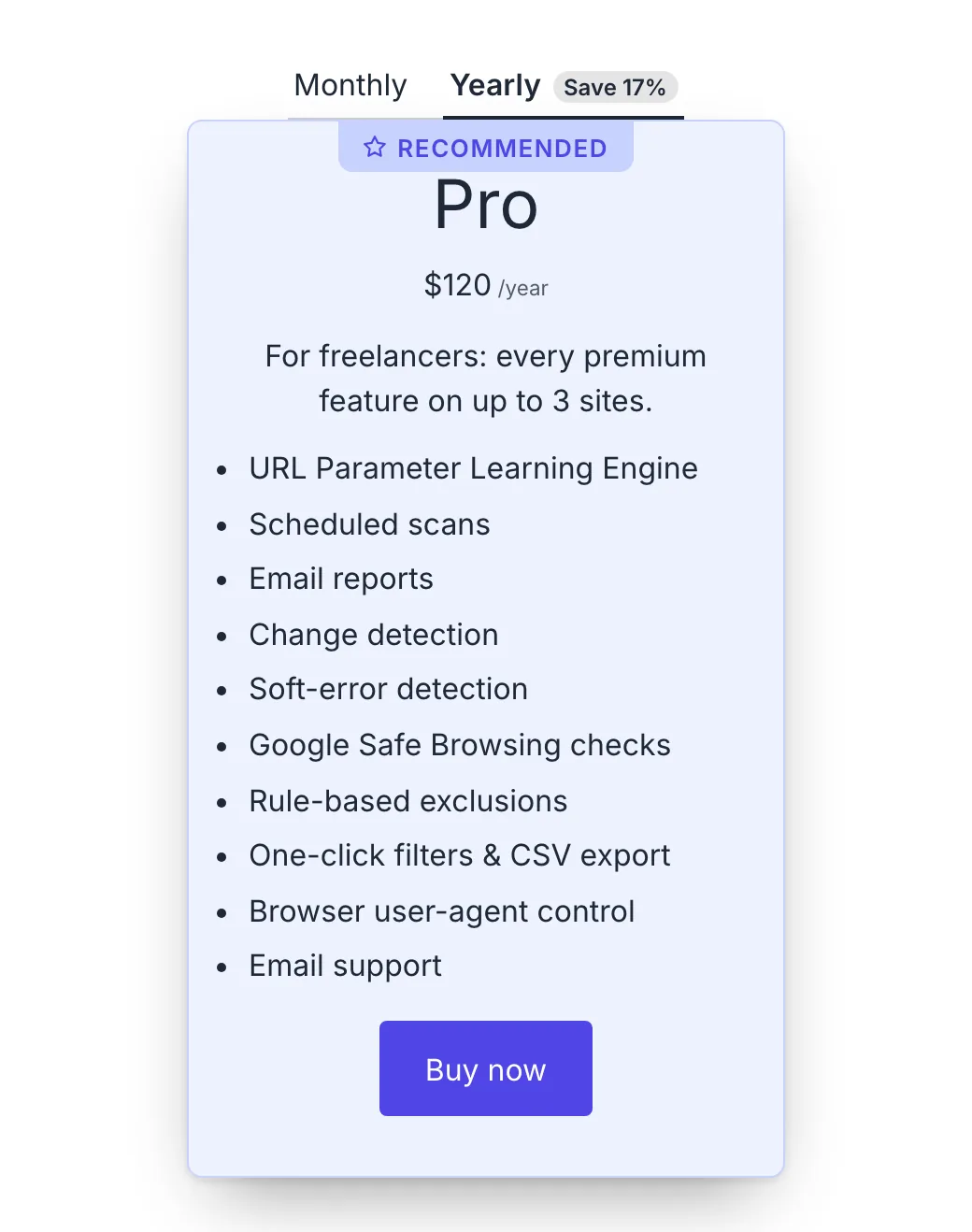
The yearly option can carry what a year saves against twelve months.
[pflp_cycle badge="1"]
[pflp_cycle badge="1" badge_text="{percent} cheaper"]
It is opt in, and it is computed, never typed: the figure comes from the stored prices, so a price change in the dashboard moves the badge with the figures. A badge that still said 20% after a price change would be exactly the stale copy this plugin removes, wearing a different hat.
It appears only when the product's headline tier (the plan and licence tier a
short [pflp_price] would resolve to) sells both a month and a year, and only
when the year is actually cheaper. Otherwise there is nothing to claim and
nothing is shown.
badge_text replaces {percent} with the figure, for example 17%. Left out,
it reads Save 17%. In the block this is the Saving badge panel: Show
the saving on the yearly option, with the figure it computes right now in its
help text, and Badge text beside it. In the Shortcode builder it is
Saving badge, Off or On; the words are the block's or the shortcode's,
because a badge you want to word yourself is a value to type rather than a
choice to pick.
The five styles
| Style | What it looks like |
|---|---|
pills | options in a tray, with a thumb that slides under the chosen one |
buttons | separate bordered buttons, the chosen one filled |
tabs | plain text with an underline under the chosen one |
text | plain text, the chosen one bolder |
switch | one joined control, the chosen half raised |
In the block, pick one from the Styles panel. In a shortcode, style="pills"
writes the same class, and the Shortcode builder on the product's screen
offers all five under Style, with Theme's own for the plain look. A toggle that names no style keeps the plain look.
switch is a two-position control, so the editor warns if you choose it for a
toggle with any other number of options.
The thumb and the underlines animate, and stop animating for a visitor whose system asks for less movement.
Whichever style you pick, a toggle always shows a keyboard focus ring, even on a theme that removes the one browsers draw. It appears for keyboard users only, never on a mouse click, and it is drawn in the surrounding text colour so it reads on a light background and a dark one. A theme that styles focus itself still wins, so there is only ever one ring.
Size, spacing and the active colour
| Attribute | In the block | What it does |
|---|---|---|
size | Size, under Size and spacing | small, regular or large. It sets the font size, and the padding follows it |
gap | Gap, under Size and spacing | the space between the options in pixels. The shortcode takes 0 to 64, the slider offers 0 to 32 |
active_color | Active text, under Active option | the text colour of the chosen option |
active_background | Active background, under Active option | the background, the thumb or the underline of the chosen option, depending on the style |
The two colours are written as CSS custom properties on the toggle rather than as rules, so your theme can override them without this plugin's stylesheet knowing anything about it. See Styling for the property names.
Both toggles also carry the colour, typography, spacing, border and shadow panels in the editor.
Setting the look once, for every toggle
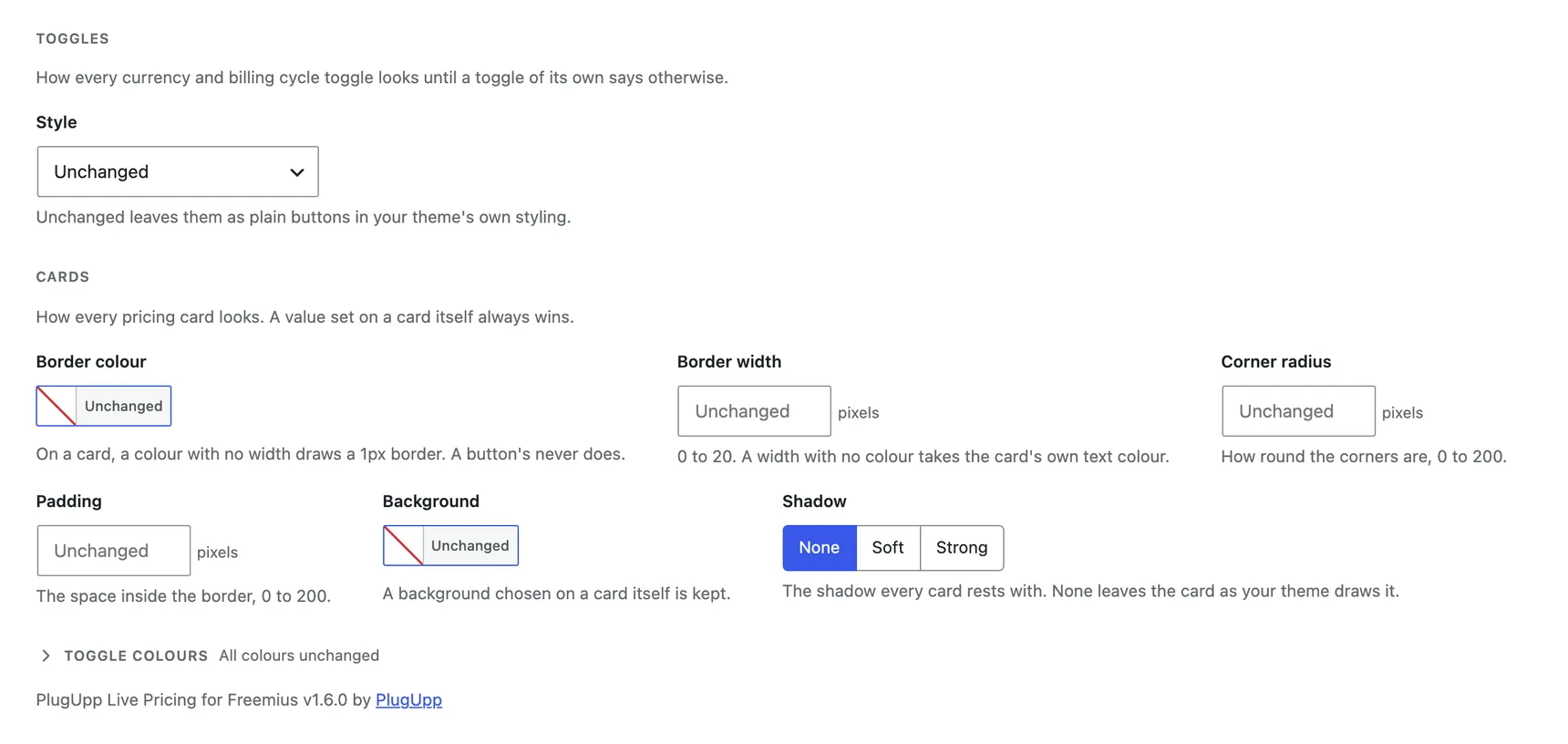
Toggles, on the Appearance tab of Freemius Pricing, Settings, holds the same three choices for every toggle on the site at once, so a look you want everywhere is one setting rather than one setting repeated on every toggle.
- Style - the look every toggle takes: Pills, Buttons, Tabs, Text or Switch. Unchanged leaves them as plain buttons in your theme's own styling, which is what a toggle with no style has always been.
- Colours - a grid with Normal and Active columns and Text and Background rows: what every option looks like at rest, and what the one a visitor is on looks like. Leave a colour empty and the style's own stays.
Both toggles, currency and billing cycle, take these: they are one control with two jobs, and they have been since the start.
A toggle that names its own style, in the block's Styles panel or with
style="pills" in a shortcode, keeps it, and so does a toggle with its own
Active text or Active background. The Normal pair is the same story
from the other side: a toggle given a text colour or a background in the
editor's own colour panel keeps those, and the site-wide value only paints a
toggle that asked for nothing. The site-wide value is where a toggle that says
nothing starts.
Size and Gap are not here. They are the space one toggle takes on one page, which is layout rather than look, so they stay on the block and the shortcode.
The Appearance tab previews both toggles beside the fields and redraws them as you change any of the three.